MI Allergy
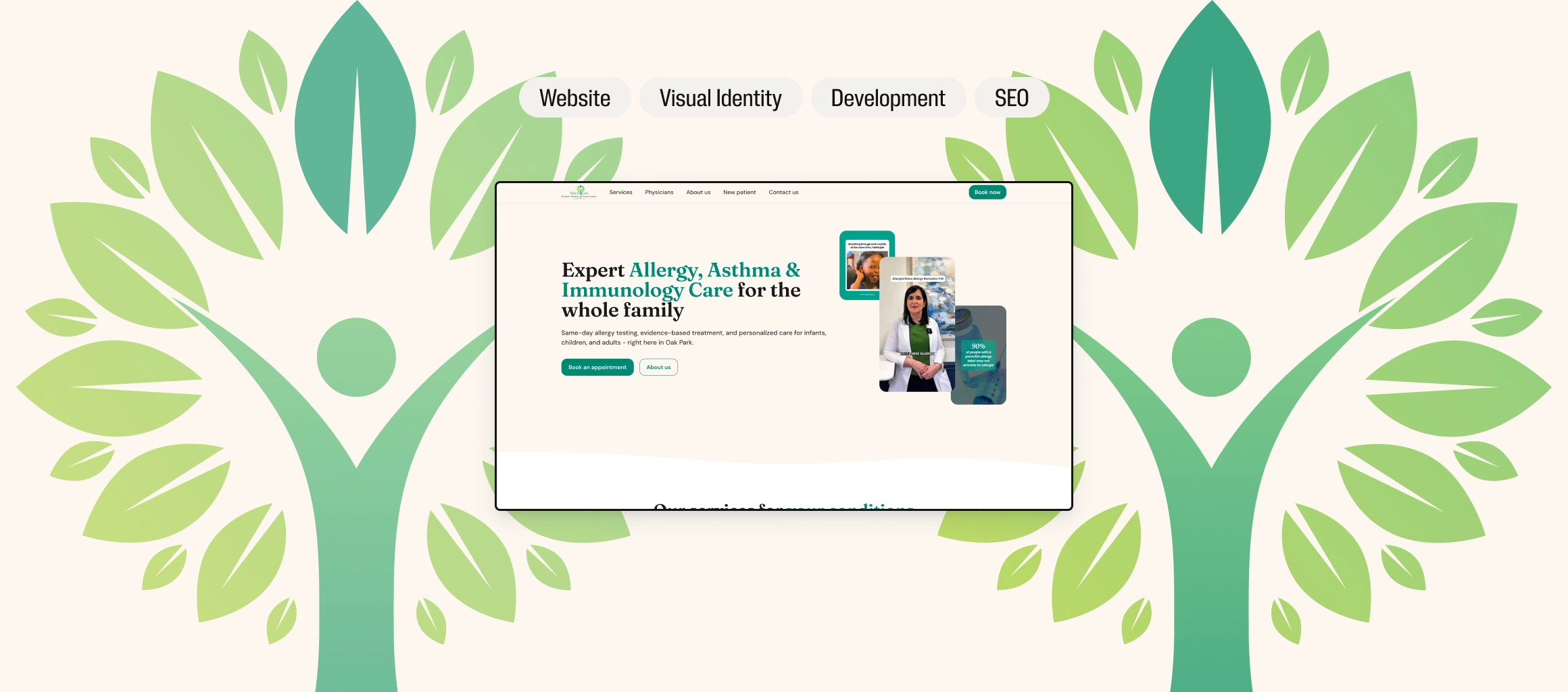
At a glance
Patients were discovering Michigan Allergy, Asthma & Immunology Center through its videos on TikTok and Instagram, then finding a similarly named clinic on Google. In four one-week sprints we designed and built the practice’s first website around the journey from post to booking request, and 13 days after launch it was the first Google result for the practice’s name.
Of one-week sprints, from kick-off to a live site
From launch to #1 on Google for the practice’s name
Google search impressions in August, two months after launch
The client
Physician-led, and hard to find.
Michigan Allergy, Asthma & Immunology Center (MAAIC) is a specialist practice in Oak Park, in metropolitan Detroit, founded by Dr Kathleen Dass. Care is led by three board-certified allergists, where many local practices rely on mid-level providers, and the practice performs procedures most allergists don’t offer.
Dr Dass is a familiar voice in the press, quoted by ABC, NPR, Time and the Detroit Free Press, and the practice’s short videos were going viral on TikTok and Instagram, with one post reaching over 200,000 views. None of that attention led anywhere. There was no website, and people searching for the practice found similarly named clinics and confusing Google listings, and some ended up at the wrong one.
The brief
The attention was there. The front door wasn’t.
Kathleen’s brief was simple: a first website, fast. The harder problem sat underneath it. Patients meet MAAIC through a short video of a doctor they come to trust. Whatever they click next has to feel like the same practice and the same person, and it has to make the next step obvious.
The site had a lot to take into account. The practice’s medical records system blocks third-party integrations, so there was no online booking to plug in. Fourteen specialist procedures had to make sense to patients who think of them as three things: testing, asthma care and allergy shots. Every service description needed the physicians’ approval for clinical accuracy, patient data had to be handled with the care a US medical practice requires, and the client is a full-time physician with little time for reviews.
How we worked
Four weeks, then a roadmap.
Four one-week sprints, each closed by a review call, all aimed at one journey: from a post on social media to a booking request. Each sprint turned on a single decision.
-
01Week 1
Discovery
Kathleen sent the full procedure list and the clinic sites she liked and disliked. We asked two questions: what do patients call about most, and do they understand the full range of procedures? The answers were insurance and scheduling, and no.
Key decision
Design for the patient arriving from a video.
A visitor from TikTok has already met Dr Dass and decided they like her. The site does not need to win them over from cold. It needs to confirm they are in the right place and get them to a booking.
So the homepage leads with services rather than persuasion, and the site carries the look and voice the audience already knows from the feed. The same face, the same green, the same tone is what makes a medical site feel safe.
-
02Week 2
Design
A sitemap, style guide and wireframes set five pages: Home, Services, About, Media and New Patient. The typography matches MAAIC’s logo and is built for readability, and everything is built to the WCAG AA accessibility standard. Small words carry positioning too: the team is “our physicians”, never “providers”.
Key decision
Keep the brand they recognise. Make it accessible.
The teal on MAAIC’s social posts is what followers recognise, but it fails contrast for small text. Rather than swap in a new colour, we tested four greens side by side in real components: the logo teal, a darker proposal, the social teal, and an accessible version of the social teal.
We went with the accessible version. Patients get the colour they know from the feed, and every label and button stays legible.
-
03Week 3
Development
Services are grouped the way patients describe them, with biologic therapies separated from allergy shots and a “conditions we treat” list so nobody assumes their condition is not covered. They run on a content management system, and every service page follows one template: what it is, why it helps, is it right for me, and what to expect in three steps.
Key decision
Booking without a booking system.
Online booking was off the table, and a phone number alone asks someone scrolling a feed to stop and call during office hours. So we built a booking request form that collects what the front desk needs (insurance, reason for visit, preferred times) and sends it to a secure practice inbox, covered by a privacy policy.
The form tells patients to expect a reply within two to three business days and what happens next. Every new patient has to fill in the required patient forms, which takes a long time in the office, so the journey directs them to download the patient forms from the New Patient page and complete them before the appointment. The front desk gets a complete request instead of a missed call, saves time at check-in, and gets forms that are filled in better.
-
04Week 4
Deployment
The final pass covered what a US patient would notice: “personalized” for “bespoke”, “call” for “ring”, “metropolitan Detroit” for “Detroit suburbs”, and dates as month, day, year. The site went live at the close of week four, and feedback from that week’s QA and accessibility pass was fixed within hours.
Key decision
Ship the front door first.
The practice’s videos were going viral with no link to send viewers to. Waiting for every service page to be written and clinically approved would have kept the door shut. So we launched the pages that turn a visit into a booking first (physicians, about, new patient and contact, with a concise services list) and moved the full service pages and the media page onto the roadmap.
With the office mid-renovation, the hero uses the practice’s own social clips instead of interior photography. Someone arriving from a video meets the same doctor on the homepage.
-
05The outcome
Found first
Thirteen days after launch, the site was the first Google result for the practice’s name: the search that used to send patients to the wrong clinic.
-
06Since launch
The roadmap, under way
The last sprint review set what came next, and the work continues as a partnership. First came the Media & Research page, gathering the physicians’ press appearances and publications for backlinks, search and subject authority. Then the service pages, which help patients find the specific help they need, each reviewed and signed off by the physicians before it is published.
We continue to review analytics, user behaviour and form enquiries to understand how patients use the site and how to keep optimising it.
The work
From the feed to the front desk.
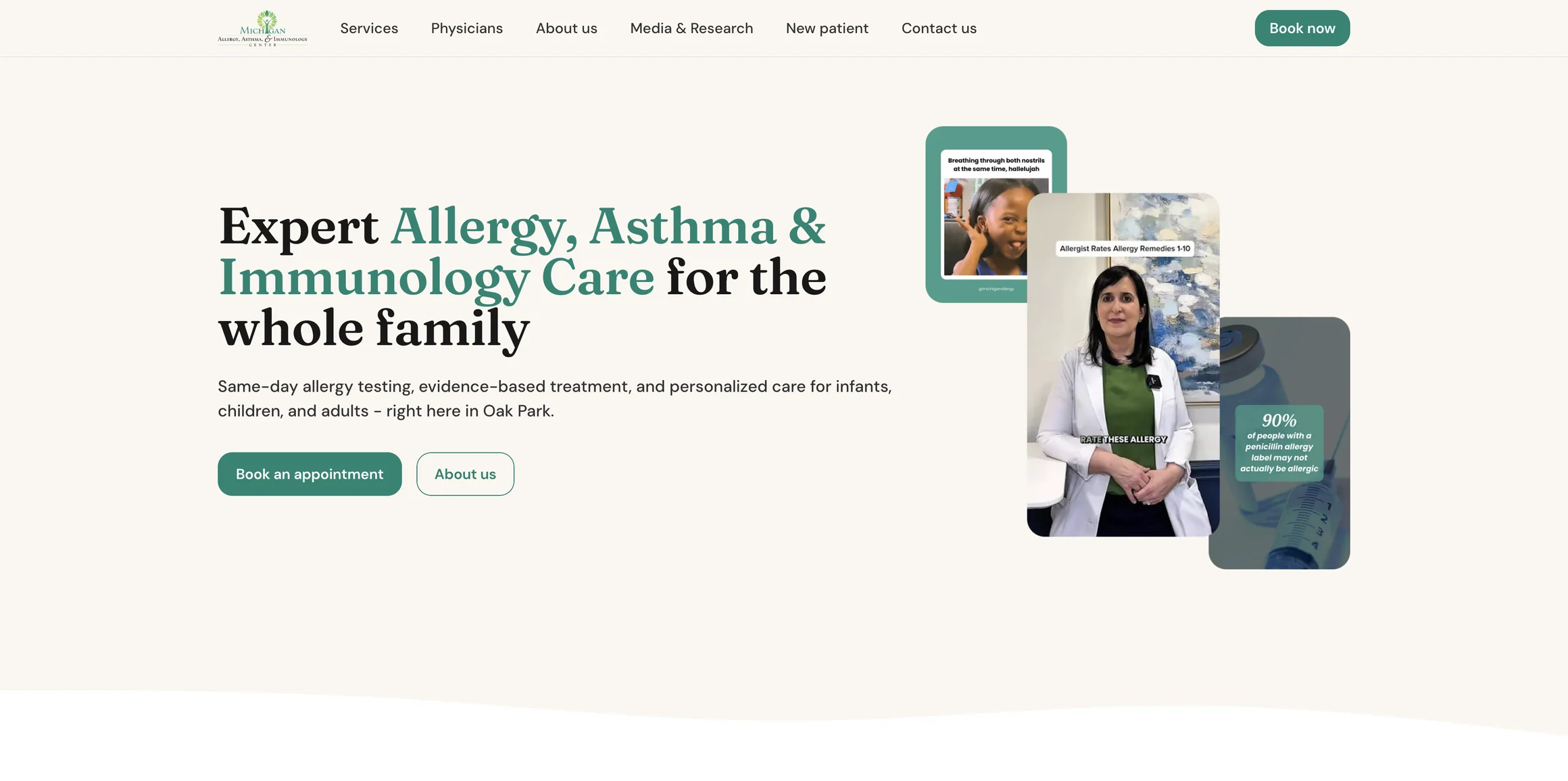
Homepage
The doctor they just watched, first.
A plain promise, expert care for the whole family, beside the practice’s own social clips, so a visitor from TikTok knows where they have landed. Booking sits in the header and the hero.
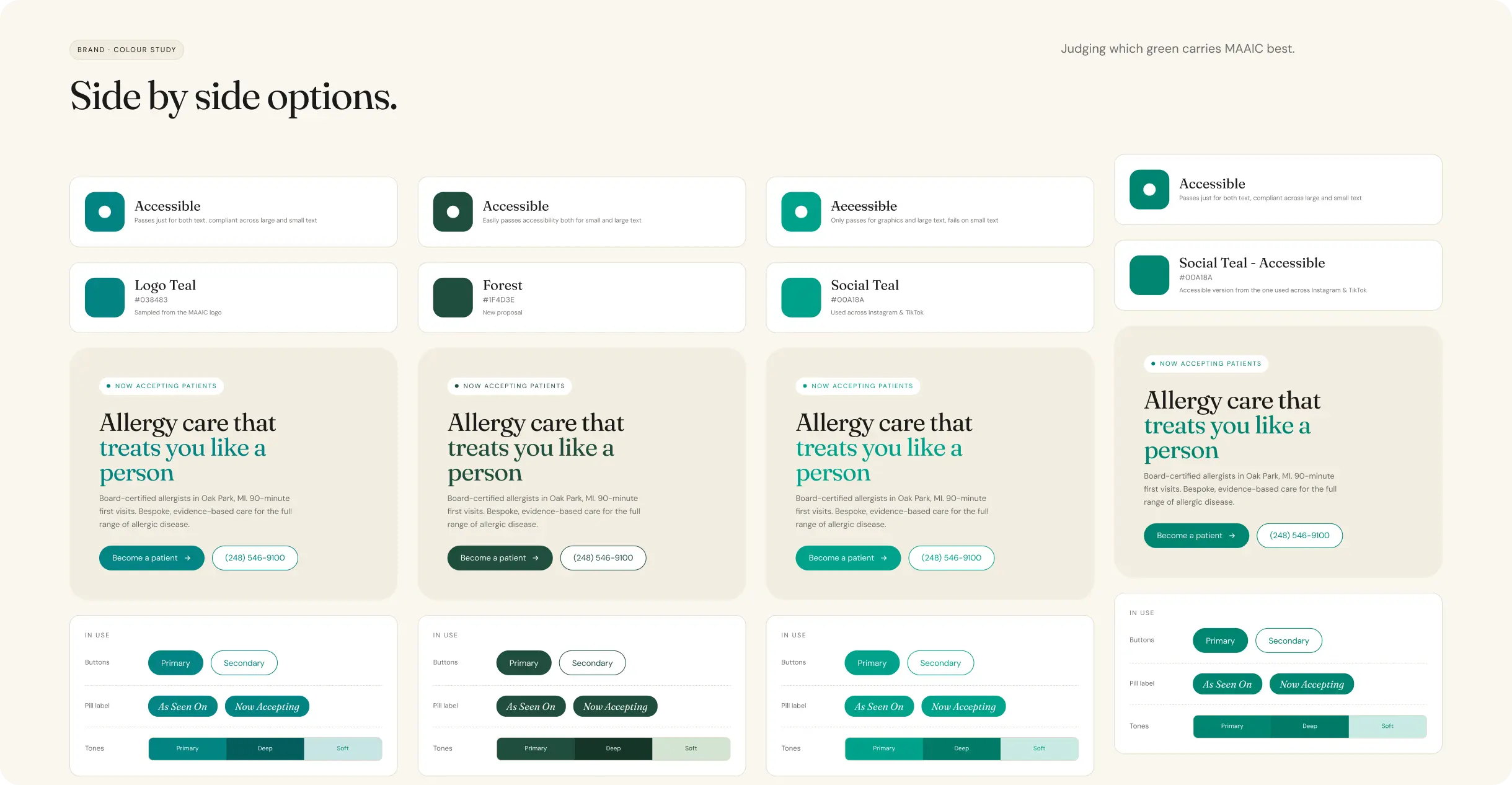
Colour
The brand’s own teal, made accessible.
Four greens tested in real components. The social teal failed small-text contrast, so we built an accessible version of it, and that is the one on the site.
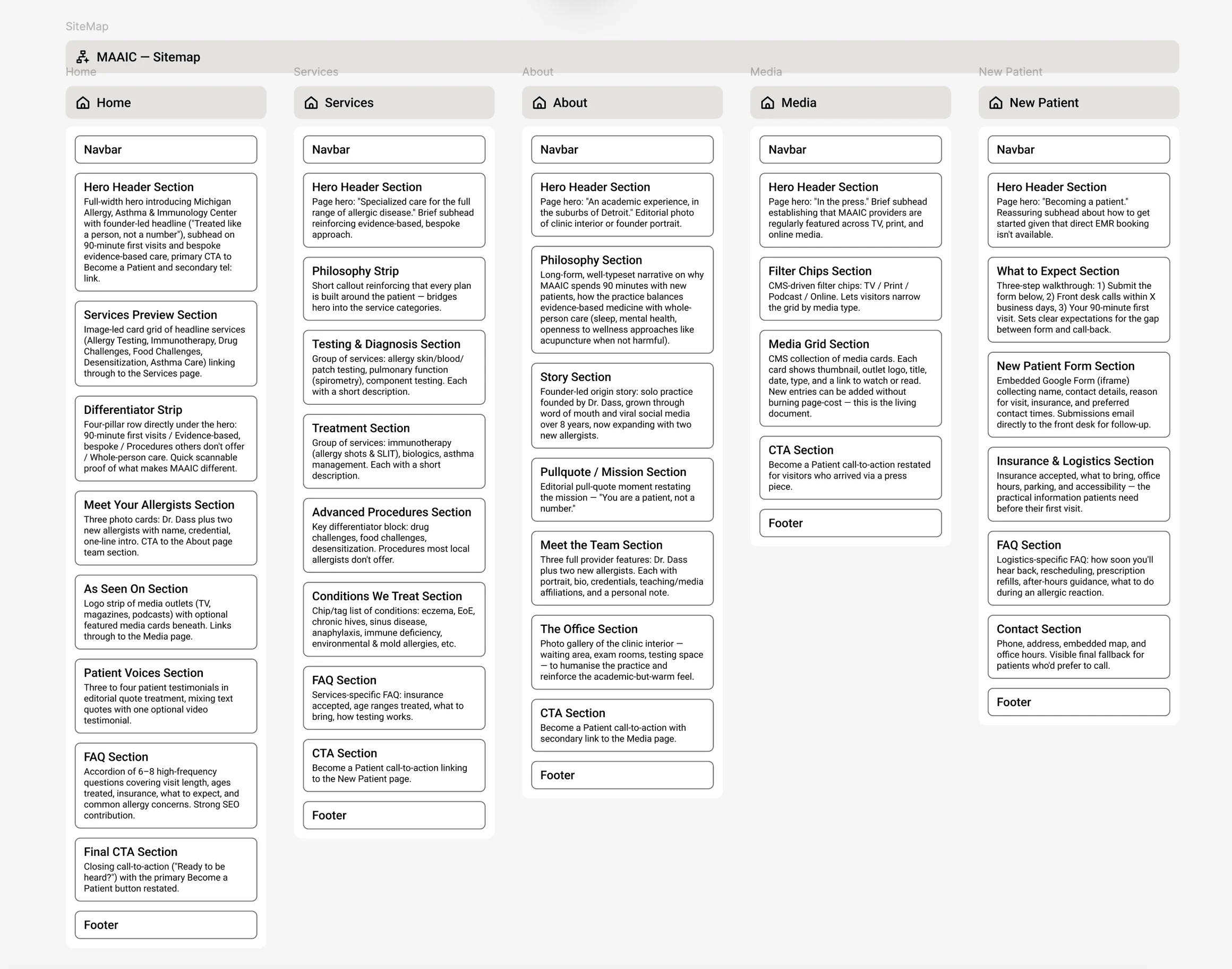
Information architecture
Five pages, one job each.
Home converts, Services explains, About builds trust, Media proves expertise and New Patient removes the friction before a first visit.
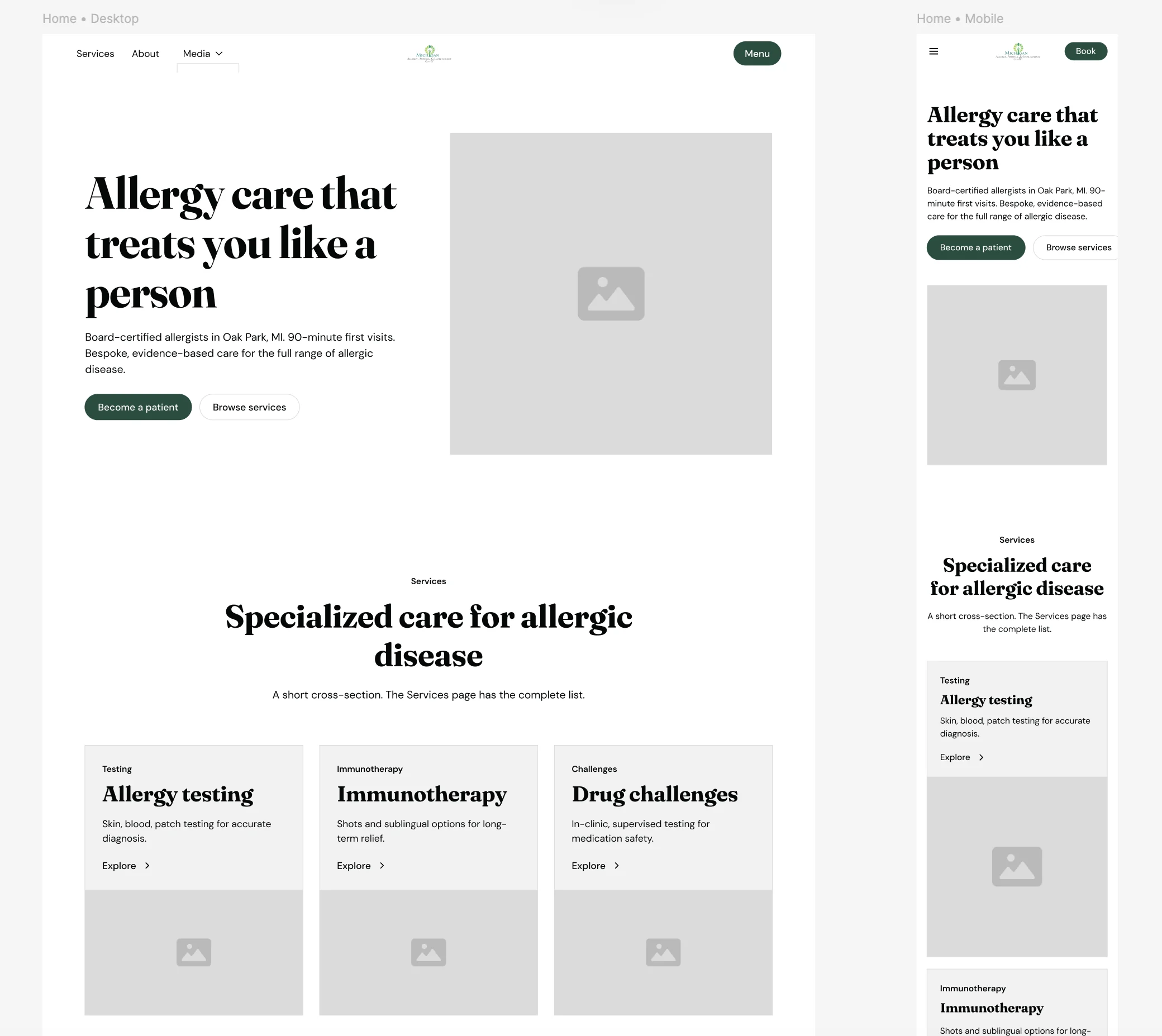
Wireframes
Desktop and mobile, together.
Every layout was wireframed for both screens from the start, because this audience arrives on phones. By August, 58% of clicks from Google search were on mobile.
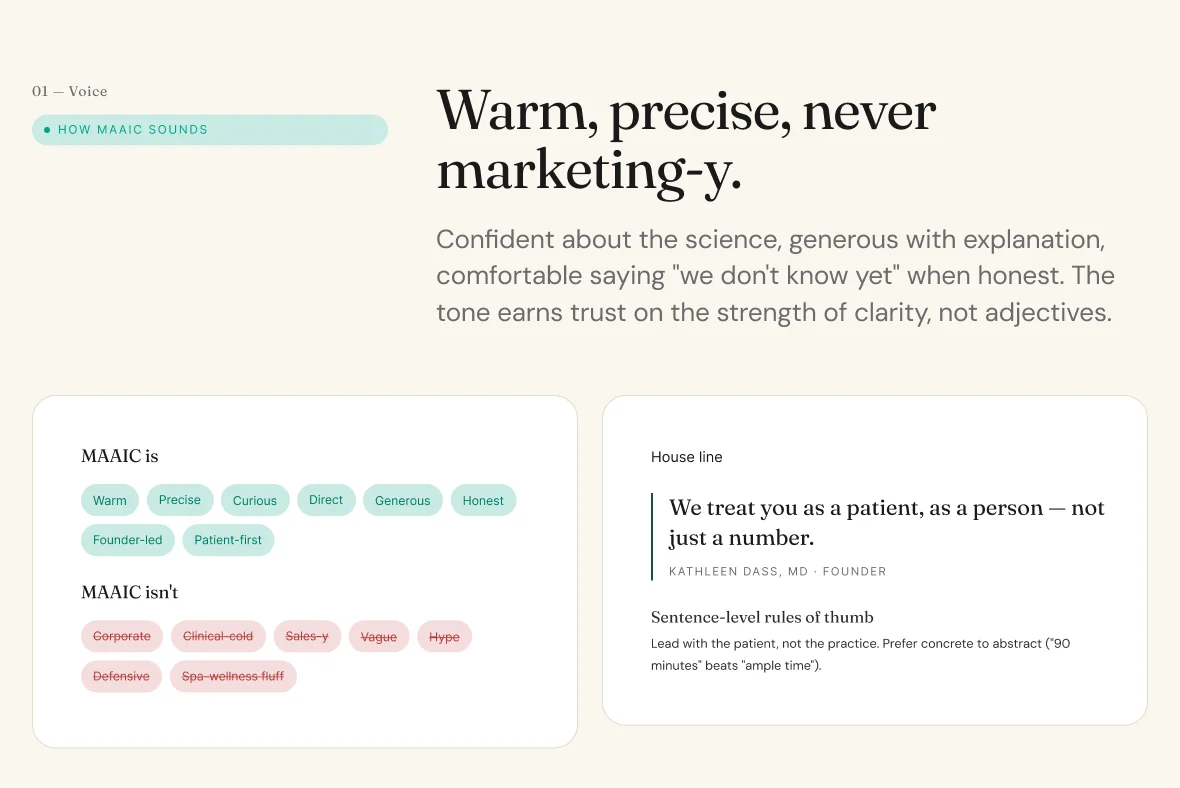
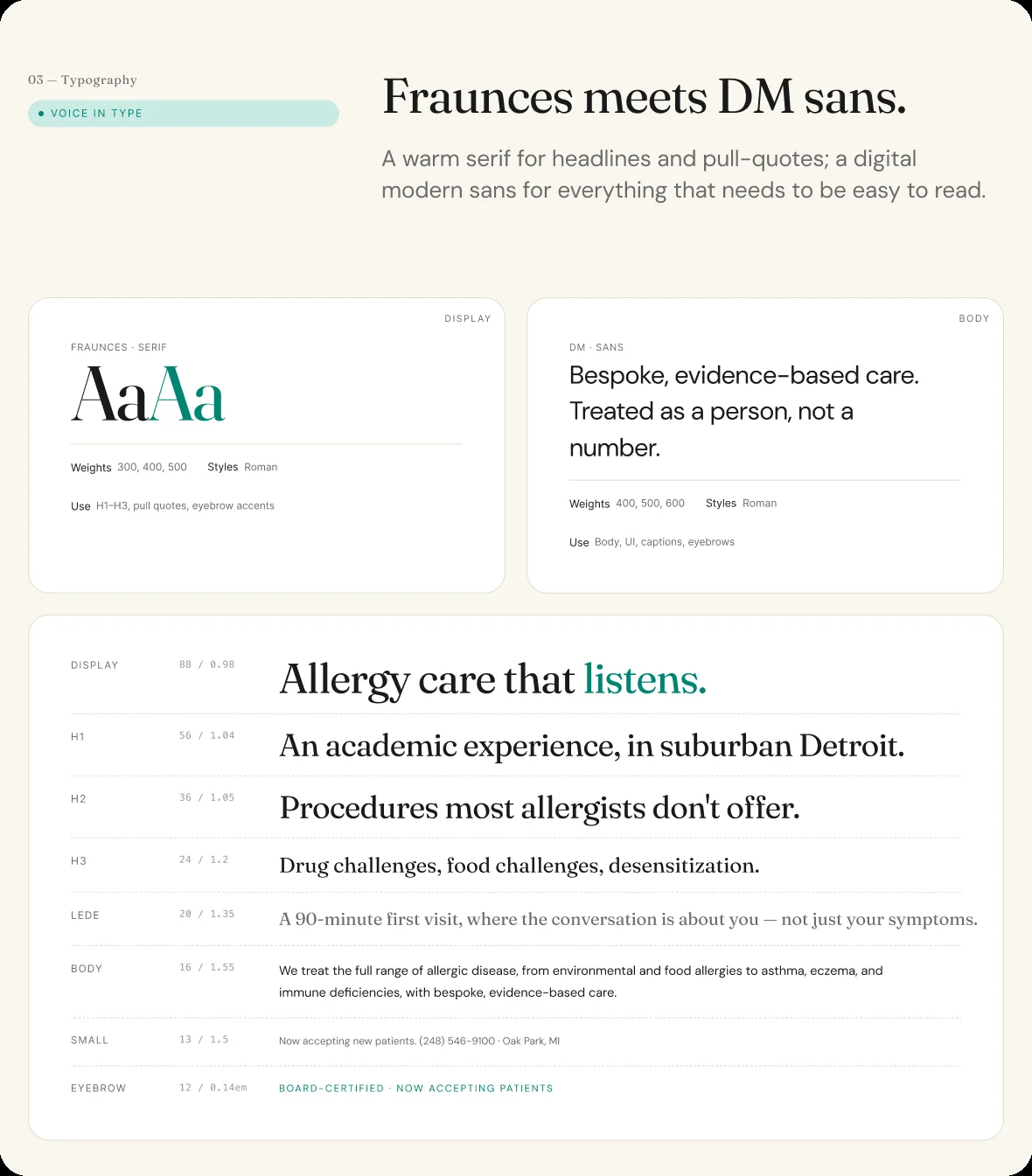
Brand system
Warm, precise, never marketing-y.
A voice guide and a type scale, so every new page, whether we write it or the physicians do, sounds like the same practice.
Outcomes
Found first, then found more.
The job was to make MAAIC easy to find and easy to book. Thirteen days after launch, the site ranked first on Google for the practice’s name.
In August, Google Search Console recorded more than 8,300 impressions and 243 clicks, almost all from the United States and 58% of them on mobile: an audience arriving on their phones. “Allergist near me” was among the fastest-growing searches, the first sign of discovery beyond the practice’s own name.
Booking requests keep arriving, and the front desk’s feedback on them shapes the next round of changes.
Clicks from Google search in August
Of those clicks on mobile
Google search impressions in August
“Norman UX has been great to work with. My company’s website feels tailor-made to my business.”
Dr Kathleen Dass, Founder · Michigan Allergy, Asthma & Immunology Center